Choose Chinaza Dynamic Filter AI
Start this exact dance effect. No prompt is required.
dance · 1 photo
Make the Chinaza dynamic filter AI video from one photo. Upload it, press Generate and get a 5-second clip with the trend sound. No prompt to write.

You will be asked to sign in and choose a paid plan before a render starts.
The full guide
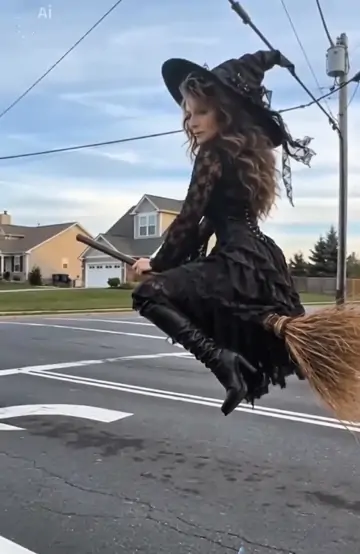
The Chinaza dynamic filter is a 5-second AI performance in which a person laughs, leans into the lens and throws their hands in the air to the trend sound; videosi makes it from one photo of you.
Use one clear photo with even lighting. Keep the frame uncluttered so the model can preserve the face and create the Chinaza Dynamic Filter AI motion around it.
What you get
Start this exact dance effect. No prompt is required.
Use a sharp, front-facing image with even lighting and one clear subject.
Choose a quality tier and create a vertical MP4. The standard render uses 10 credits.
Questions, answered
The Chinaza dynamic filter is a 5-second AI performance in which a person laughs, leans into the lens and throws their hands in the air to the trend sound; videosi makes it from one photo of you.
Use one clear photo. Keep every face visible, use even lighting and avoid busy backgrounds so the final motion stays clean.
A standard Chinaza Dynamic Filter AI render uses 10 credits at 720p. Model and resolution upgrades can use more credits.
No. Choose the effect, upload your photo or photos and generate. You can still describe a location or mood if you want a custom variation.
This effect is designed around Seedance-family video models. Higher quality tiers may preserve more facial, outfit and background detail.
Yes. Paid renders have no watermark. You are responsible for the source photos, likeness permissions, trademarks and any music you add before publishing.
Keep exploring